
Core Tasks
What Selections Are For
Selections are working sets created from result lists. They help you review, compare, share, download or process a group of items without changing the original search.
Where to Find It
- Select All, Toggle Selected and Clear Selected manage the current result-list selection.
- The Selections panel shows the selected count and links to the full page.
- The full Selections page includes controls such as Clear All, Save and Discard changes.
- The result-page More menu contains batch and maintenance actions.
Use Selection Controls
- Select individual items from a result list or gallery when you need a precise working set.
- Use the item page selection control when reviewing one item at a time.
- Use Select All to select the items currently available in the result context.
- Use Toggle Selected to reverse the current selection.
- Use Clear Selected to remove the current result-list selection.
- Use the Selections panel to review the selected count and open the full page.
- Open Selections from the Search menu when you need to return to existing selected sets, clear the set, save it or discard changes.
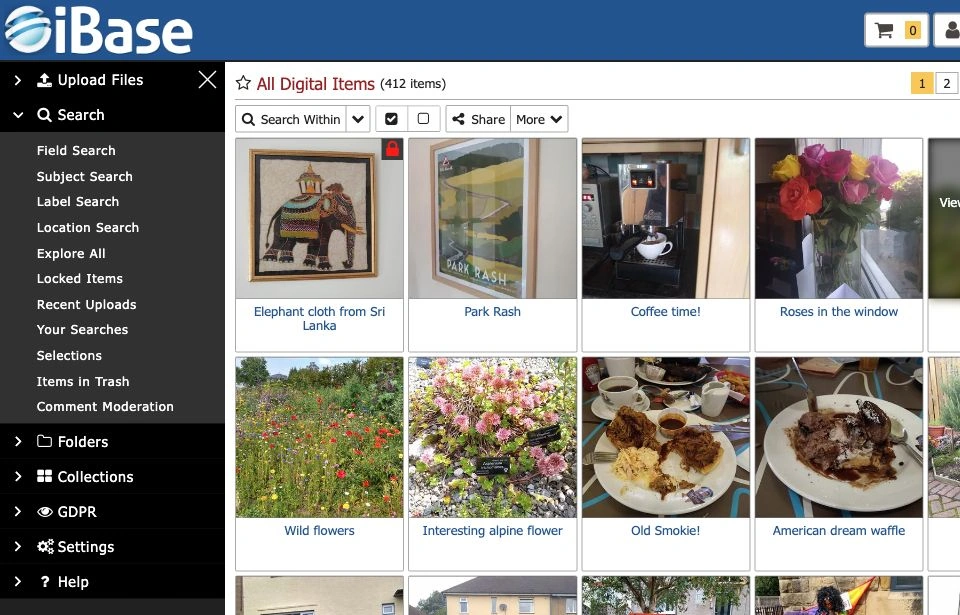
Note: check whether an action applies to visible items, selected items or the full result set before using it.
Use the More Menu
The result page More menu includes actions for organising, comparing, exporting and maintaining selected or result-listed items.
- New Smart Collection creates a collection based on search rules.
- Compare Selected helps review selected items side by side.
- Reorder changes item order where ordering is supported.
- Export Data creates a metadata export for the selected or relevant result set.
- Extract Asset Metadata reads technical metadata from files where supported.
- Check Integrity checks file integrity for preservation or maintenance purposes.
- Create Surrogates generates configured derivatives or access copies.
Use Batch Operations Safely
- Start from a clearly defined search, folder or collection.
- Select only the items that should be included.
- Review the selected set before applying an action.
- Check workflow state, permissions, content warnings and rights where the action affects access or delivery.
- Use Search Within when you need to refine a selected or current result set by field, subject, label, location, folder/collection or saved search.
- Use exports, integrity checks and surrogate creation according to local policy.
- Ask a System Manager before running advanced operational actions on a large or sensitive set.