Search Every Indexed Field
Quick Search finds terms wherever they appear, supports Boolean operators such as AND, OR and NOT, suggests terms while users type, and returns results by relevance.
 Book a Demo
Give every user a practical route to the right files, from simple keyword search to fielded queries, fuzzy matching, taxonomy browsing, map-based search and saved searches for repeatable discovery.
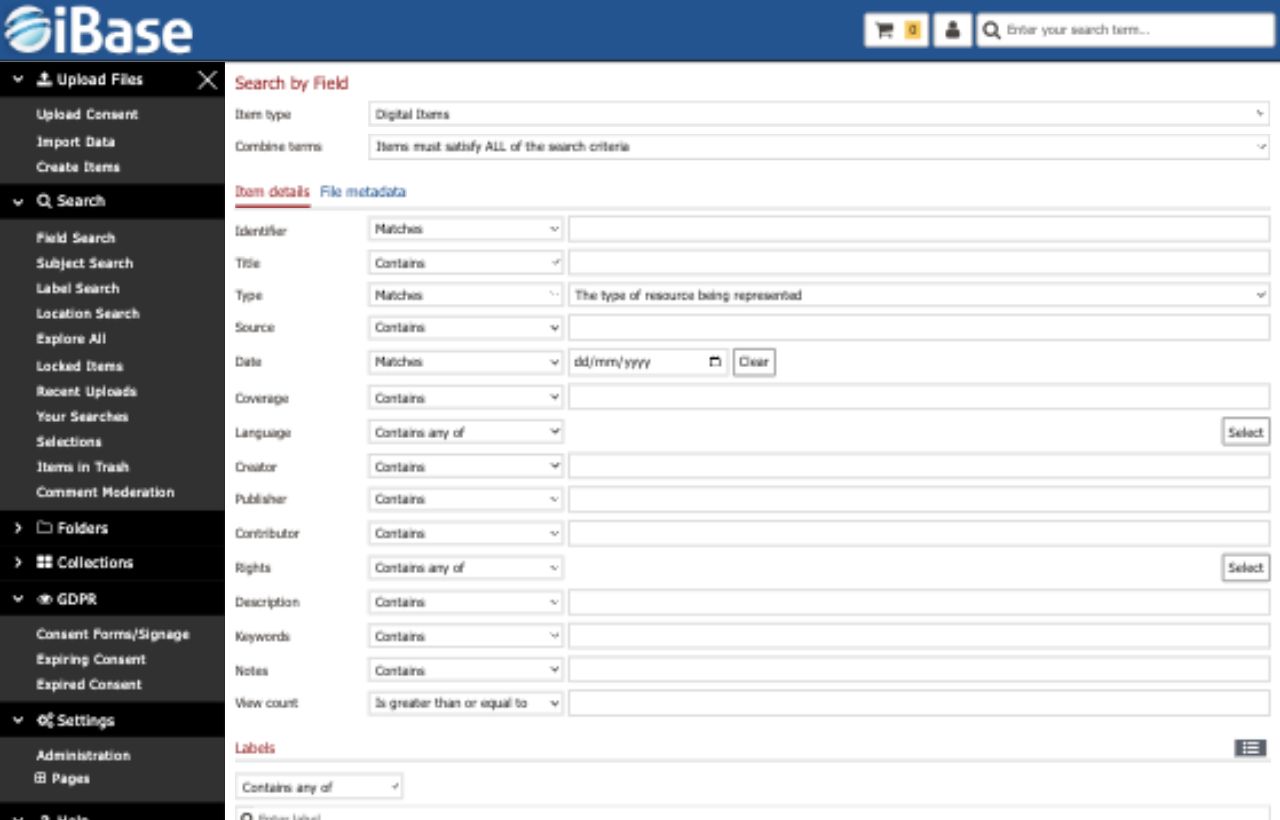
iBase supports quick discovery for occasional users and precise search for teams who know the metadata model, so the same repository can serve different levels of expertise without hiding important records.
Quick Search finds terms wherever they appear, supports Boolean operators such as AND, OR and NOT, suggests terms while users type, and returns results by relevance.
Fuzzy searching helps users find content even when names, places or specialist terms are entered with different spellings or minor errors.
Search individual fields exactly, partially or negatively, find empty fields, and run range searches across number and date values.
Search does not stop at a results list. iBase helps users browse controlled vocabularies, search by place, narrow large result sets and return to useful searches when a task continues over time.

Users can step through a keyword tree and select approved terms, which is especially useful when they do not know the collection well.

Search imported or manually entered location data through a map interface, with configurable map limits, starting views and marker categories.

Progressively narrow result sets by item type, workflow status, owner, rating, collection, folder or other fielded criteria until users reach the exact files they need.

Store search criteria, result counts, dates and users so common searches can be reused and administrators can understand search behaviour.
The strongest search experience comes from metadata, taxonomies and permissions working together, so users see relevant content and administrators keep control over sensitive records.
Adjust fuzzy tolerance, searchable fields, controlled terms and location settings around the way each collection is described.
Search can respect folder, role and metadata permissions so users only discover records they are allowed to access.
Saved and recent search data can help teams understand user needs, improve metadata and identify common discovery patterns.