
What Controlled Relationships Are For
Labels, subjects and links help classify items and connect related material. They make records easier to browse, filter and reuse when the values are applied consistently, especially where a site uses hierarchical taxonomies or controlled vocabularies.
- Use labels for configured categories or classification values.
- Use subjects for controlled subject relationships where the taxonomy is managed.
- Use links to connect related items or supporting records.
- Use collections when you need a curated group rather than a metadata relationship.
- Labels appears on the item page with a Select Label action where label editing is available.
- Assign subject and Remove all subjects appear in the subject area where subject editing is available.
- Links, Collections with this item and Other items like this appear as relationship and discovery sections.
Use Labels
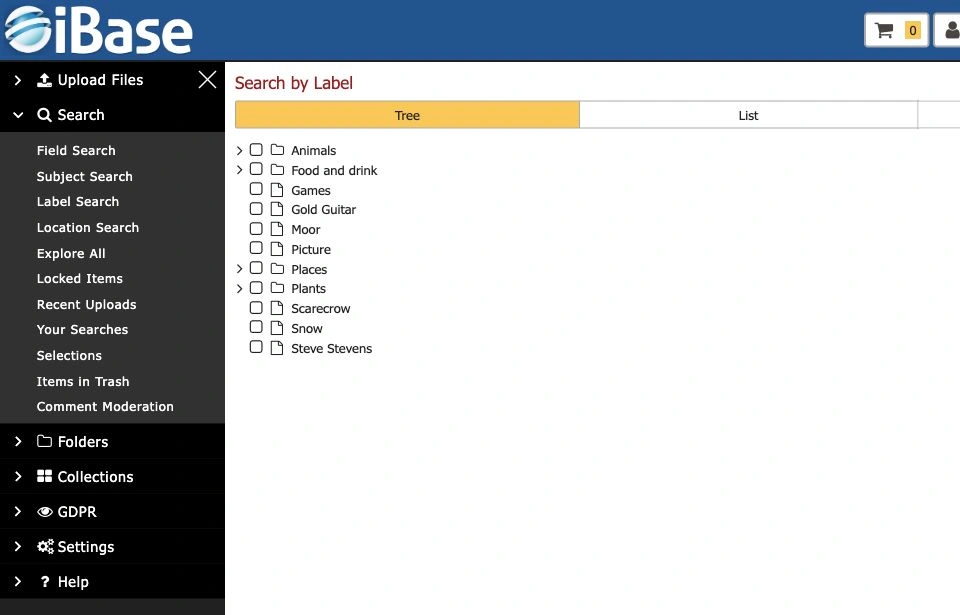
Labels are usually configured terms or flags that help users filter, classify or identify items. In iBase, the Labels area includes a label search field and Select Label.
- Open the item page.
- Find the Labels area.
- Use the label search field or Select Label where shown.
- Add labels that genuinely apply to the item.
- Use Remove All or individual remove controls only when the labels have been checked.
Use Subjects
Subjects connect an item to controlled people, places, themes or other taxonomy entries. Local configuration determines the available subject types and hierarchy.
- Open the Subjects area for the item.
- Use Assign subject where shown.
- Search or browse for the correct subject term.
- Add the subject that best represents the item.
- Use Remove all subjects only when the full subject set has been reviewed.
- Prefer the established controlled term over a near-duplicate.
- Escalate missing or ambiguous subject terms to the taxonomy owner or System Manager.
- Check whether parent or child terms should be used according to local practice.
- Where automatic keyword tagging is enabled, review suggested terms against the controlled vocabulary before accepting them.
Use Links and Related Item Relationships
Links connect one item to another item, page or supporting record where the relationship itself matters. iBase shows Links, Collections with this item and Other items like this as related-item tabs, with browse and page controls where lists are available.
- Open the relevant relationship tab.
- Use Browse or page controls to review existing related items where available.
- Choose Link where shown and enabled.
- Select the related item or relationship target.
- Check the link direction and relationship meaning if the system offers relationship types.
- Remove links only when the relationship is wrong or no longer useful.
Check Discovery and Consistency
- Search by the applied label or subject to confirm the item appears in expected results.
- Check related items from both sides of the relationship where possible.
- Review similar records for consistent use of the same labels and subjects.
- Check Collections with this item separately when a curated group is also required.
- Record taxonomy questions rather than inventing new terms informally.