Flexible Metadata Schema
Start from Dublin Core or configure multiple simultaneous schemas with the fields your collection needs, including text, numbers, picklists, dates, currency and other structured field types.
 Book a Demo
Shape metadata, taxonomies, locations, workflow states and collection links around the way your team describes and manages assets, whether you are editing one item carefully or updating large sets at speed.
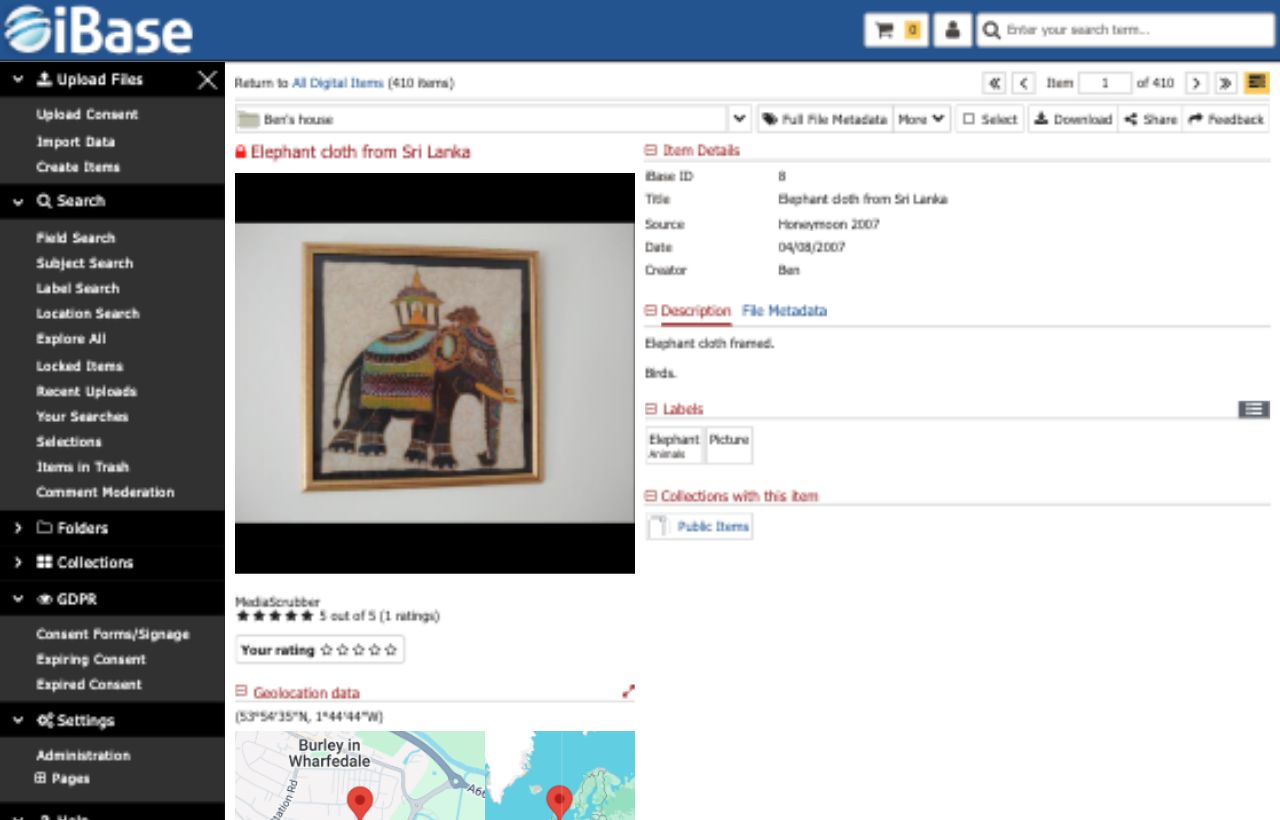
iBase gives editors a structured place to enrich assets, correct records, apply consistent terminology and update many files at once without losing the context of the media they are managing.
Start from Dublin Core or configure multiple simultaneous schemas with the fields your collection needs, including text, numbers, picklists, dates, currency and other structured field types.
Edit metadata beside the file preview, zoom into image details, update geolocation and keywords, adjust images and add assets to collections from the same item page.
Apply one or more field changes across multiple files, with options such as overwrite, append and search-and-replace to support safe, repeatable metadata updates.
Good DAM editing is more than typing into fields. iBase supports controlled vocabularies, location data, suggested image tags and workflow stages that help teams maintain quality as collections grow.

Maintain structured vocabularies or import terms from an existing thesaurus. Users can be allowed to manage the hierarchy or simply assign approved terms to files.

Import camera location data, show it on item pages and add locations manually where files have no embedded coordinates.

Suggested image tags can support metadata teams during ingest and editing, with confidence thresholds and language variants available before terms become part of the record.

Align records to review, approval and publishing stages so teams can track progress and manage content consistently at scale.
Editing tools can be configured around the balance each organisation needs: rich descriptive control for specialist collections, efficient bulk updates for operational teams and permissions that keep sensitive changes protected.
Arrange fields in the order editors expect, use structured inputs where consistency matters and keep complex schemas usable for day-to-day work.
Use batch editing to keep large sets consistent while retaining control over whether values are replaced, appended or changed through search-and-replace.
Give users the right level of access to fields, taxonomies, workflow stages and records so metadata quality can improve without opening up unnecessary risk.